Best Laptops for Graphic Design in 2023
When you’re thinking about getting a laptop, you start to searching on google Best Laptops for Graphic Design there are a few things to consider. You’ll see information about the laptop company, how big the hard drive is, how much RAM it has, and its graphics card.





You have confusion about finding Best Laptops for Graphic Design?
Let’s read the full article to get the best ideas about the Best Laptops for Graphic Design that help you to your design faster and easiest. The article also suggests affordable rates for laptops for graphics design work.

is graphic design a good career in 2023?
If you have a passion for art, creativity, and working with technology, a graphic design career might be satisfying. Explore graphic design, degrees, and certificates on accessible platforms. More information in the article.
When you’re thinking about getting a laptop, you start to searching on google Best Laptops for Graphic Design there are a few things to consider. You’ll see information about the laptop company, how big the hard drive is, how much RAM it has, and its graphics card. You can find all this on the internet, including different types of laptops and what people think about them.
But here’s the important part: you need to know why you want a laptop. Do you plan to use it for just 1-2 hours a day, or more like 2-5 hours, or even more than 5 hours every day?
Also, think about the kind of work you’ll do. If you need to use heavy software like 3D design or animation, you’ll want a powerful laptop. I’m here to help you figure out the best laptop for your needs, step by step. So, let’s get started!
10 Key Advice for Buying a Laptop for Graphic Design!
Display Quality
Color Accuracy
GPU Performance
CPU Power
RAM and Storage
Portability vs.
Performance
Connectivity
Battery Life
Cooling System
Budget Considerations
Additionally, Think about exploring laptops that offer touchscreen functionality and stylus support if you lean towards a more tactile approach to design.
It’s highly advisable to conduct thorough research into the laptop’s warranty terms and available customer support options, as reliability holds significant importance for professionals in the field.
Best Apple laptops for graphic design
While purchasing Apple laptops for your graphics design needs that time you thought macbook air good for graphic design?
We suggest it depends on your use cases. MacBook is good for working on highly performative work. Graphic designing work needs a best performative computer therefore it’s very helpful for you if you are considering a graphic design career.
Let’s check bellow best macbook pro for graphic design 2023 with other Macbook budget-friendly models.
Apple MacBook Pro 16-Inch (2023, M2 Max)

Aspect | MacBook Pro 16-inch Specifications |
|---|---|
Display Quality | 16.2-inch Liquid Retina XDR display |
Color Accuracy | Wide color gamut (100% DCI-P3, 97% Adobe RGB) |
GPU Performance | M2 Max chip with an integrated 32-core GPU |
CPU Power | M2 Max chip with a 10-core CPU |
RAM and Storage | Standard: 16GB of RAM |
Portability vs. Performance | Less portable but highly powerful |
Connectivity | Ports: Three Thunderbolt 4 ports, HDMI, SDXC, MagSafe 3 |
Battery Life | Impressive up to 21 hours of battery life |
Cooling System | Equipped with vapor chamber cooling for efficient heat management |
Apple MacBook Pro 14-inch (M2, 2023)
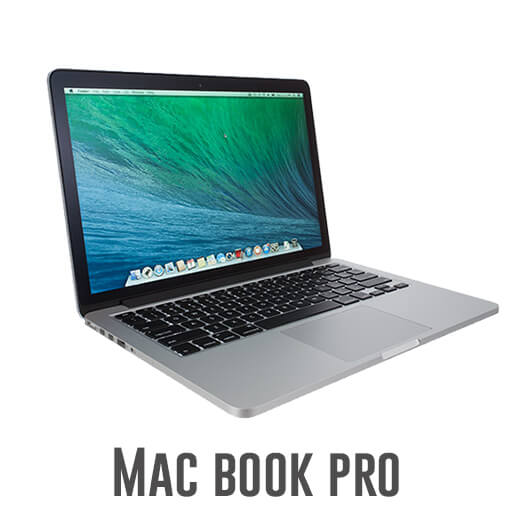
Aspect | MacBook Pro 14-inch Specifications |
|---|---|
Display Quality | 14.2-inch Liquid Retina XDR display |
Color Accuracy | Wide color gamut (covers 100% of DCI-P3 color space) |
GPU Performance | M2 Pro chip with an integrated 16-core GPU |
CPU Power | M2 Pro chip with an 8-core CPU |
RAM and Storage | Standard: 16GB of RAM |
Portability vs. Performance | Less portable but highly powerful |
Connectivity | Lightweight at 3.5 pounds |
Battery Life | Ports: Three Thunderbolt 4 ports, HDMI port, SDXC card slot |
Cooling System | Impressive up to 18 hours of battery life |
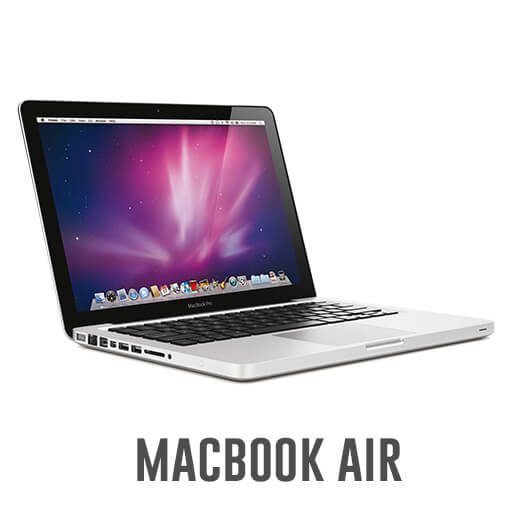
Apple MacBook Air (M2, 2022)
Aspect | MacBook Air 2022 Specifications |
|---|---|
Display Quality | 13.6-inch Liquid Retina display |
Color Accuracy | Wide color gamut (covers 100% of DCI-P3 color space) |
GPU Performance | M2 chip with an integrated 8-core GPU |
CPU Power | M2 chip with an 8-core CPU |
RAM and Storage | Standard: 8GB of RAM |
Portability vs. Performance | Highly portable at 2.8 pounds, 0.63 inches thick |
Connectivity | Ports: Two Thunderbolt 4 ports, headphone jack |
Battery Life | Impressive up to 18 hours of battery life |
Cooling System | Passive cooling (no fan) |
Apple iMac 24-inch (M1, 2021)

Aspect | MacBook 24-inch Specifications |
|---|---|
Display Quality | 24-inch Retina display |
Color Accuracy | Wide color gamut (100% sRGB, 77% DCI-P3) |
GPU Performance | M1 chip with an integrated 8-core GPU |
CPU Power | M1 chip with an 8-core CPU |
RAM and Storage | Standard: 8GB of RAM |
Portability vs. Performance | Highly portable at 3.5 pounds, 0.63 inches thick |
Connectivity | Ports: Two Thunderbolt / USB 4 ports, headphone jack |
Battery Life | Impressive up to 15 hours of battery life |
Cooling System | Passive cooling (no fan) |
Best HP laptops for graphic design
If you have a medium budget and prefer HP for selecting brand then we are sharing with you a hp laptop for graphic design 2023 that align with your requirements. Many times student don’t have ideas about their selected career you want to purchase a laptop that works on both programming and graphics design then here are best guide for selecting best hp laptop for programming and graphic design.
Let’s scan all laptops and get the best idea of which one fits your requirements.
HP ZBook Fury 17 G8

Aspect | HP ZBook Fury 15 G8 Specifications |
|---|---|
Display Quality | 15.6-inch diagonal display |
Color Accuracy | Wide color gamut (100% sRGB, 72% Adobe RGB) |
GPU Performance | NVIDIA RTX A5000 graphics card with 16GB GDDR6 memory |
CPU Power | Intel Core i9-12900H processor with 14 cores and 20 threads |
RAM and Storage | Standard: 32GB DDR5 RAM |
Portability vs. Performance | Fairly portable at 4.6 pounds, 0.7 inches thick |
Connectivity | Ports: Two Thunderbolt 4 ports, two USB-A ports, HDMI, SD card reader, headphone jack |
Battery Life | Impressive up to 16 hours of battery life |
Cooling System | Equipped with a vapor chamber cooling system |
HP Spectre x360 16

Aspect | HP Spectre x360 16-f1003tu Specifications |
|---|---|
Display Quality | 16-inch diagonal display |
Color Accuracy | Wide color gamut (100% DCI-P3, 98% Adobe RGB) |
GPU Performance | NVIDIA GeForce RTX 3050 Ti graphics card with 4GB GDDR6 memory |
CPU Power | 12th Gen Intel Core i7-12700H processor with 12 cores and 16 threads |
RAM and Storage | Standard: 16GB LPDDR5 RAM |
Portability vs. Performance | Fairly portable at 4.4 pounds, 0.7 inches thick |
Connectivity | Ports: Two Thunderbolt 4 ports, two USB-A ports, HDMI, SD card reader, headphone jack |
Battery Life | Impressive up to 15 hours of battery life |
Cooling System | Equipped with a vapor chamber cooling system |
HP Envy 16

Aspect | HP Envy 16 Specifications |
|---|---|
Display Quality | 16-inch diagonal display |
Color Accuracy | Wide color gamut (100% DCI-P3, 97% Adobe RGB) |
GPU Performance | NVIDIA GeForce RTX 3060 graphics card with 6GB GDDR6 memory |
CPU Power | AMD Ryzen 7 6800H processor with 8 cores and 16 threads |
RAM and Storage | Standard: 16GB DDR5 RAM Upgradable options: 32GB or 64GB if needed |
Portability vs. Performance | Fairly portable at 4.6 pounds, 0.7 inches thick |
Connectivity | Ports: Two Thunderbolt 4 ports, two USB-A ports, HDMI, SD card reader, headphone jack |
Battery Life | Impressive up to 14 hours of battery life |
Cooling System | Equipped with a vapor chamber cooling system |
HP ENVY x2

Aspect | HP Envy x2 13-inch Specifications |
|---|---|
Display Quality | 13.3-inch diagonal display |
Color Accuracy | Wide color gamut (100% sRGB) |
GPU Performance | Integrated graphics (Qualcomm Snapdragon 8cx processor) |
CPU Power | Qualcomm Snapdragon 8cx processor with 8 cores and 16 threads |
RAM and Storage | Standard: 8GB RAM |
Portability vs. Performance | Highly portable at 2.6 pounds, 0.3 inches thick |
Connectivity | Ports: Two USB-C ports, headphone jack, microSD card reader |
Battery Life | Up to 10 hours of battery life |
Cooling System | Passive cooling (no fan) |
HP EliteBook x360 1040 G8
Aspect | HP EliteBook x360 1040 G8 Specifications |
|---|---|
Display Quality | 13.3-inch diagonal display |
Color Accuracy | Wide color gamut (100% sRGB) |
GPU Performance | Integrated graphics (Intel Core i5-1240P processor) |
CPU Power | Intel Core i5-1240P processor with 12 cores and 16 threads |
RAM and Storage | Standard: 8GB RAM |
Portability vs. Performance | Fairly portable at 3.2 pounds, 0.6 inches thick |
Connectivity | Ports: Two Thunderbolt 4 ports, two USB-A ports, HDMI, SD card reader, headphone jack |
Battery Life | Up to 13 hours of battery life |
Cooling System | Equipped with a fan for cooling |
Best laptops for graphic design under 2000
Allow me to unveil a carefully curated collection of best budget laptops for graphic design that are tailored specifically to cater to your graphic design ambitions. In the world of creative endeavor, where every stroke of the digital pen matters, we understand the importance of finding the perfect tool to bring your vision to life. That’s why we’re excited to present to you the best budget laptops for graphic design in 2023.
These laptops are not just about affordability; they represent a gateway to turning your dreams into reality. With their powerful processors, vibrant displays, and dedicated graphics cards, they empower you to push the boundaries of your creativity without breaking the bank.
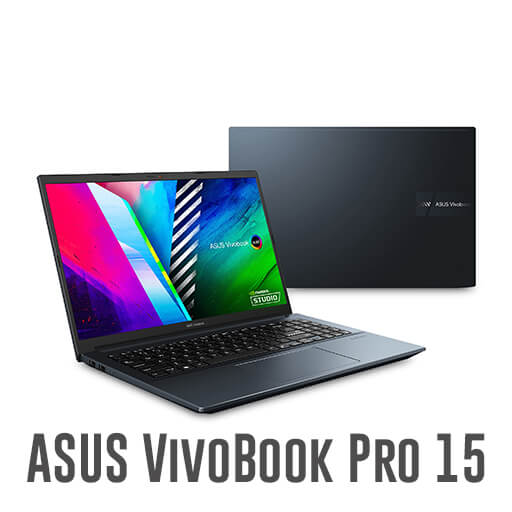
Asus Vivobook Pro 15 OLED
Aspect | ASUS Vivobook Pro 15 OLED M3500 Specifications |
|---|---|
Display Quality | 15.6-inch OLED display |
Color Accuracy | Wide color gamut (100% DCI-P3, 133% sRGB) |
GPU Performance | Integrated graphics (AMD Ryzen 5 5600H processor) |
CPU Power | AMD Ryzen 5 5600H processor |
RAM and Storage | Standard: 8GB RAM |
Portability vs. Performance | Portable at 1.65 kg (3.63 lbs), 0.7 inches thick |
Connectivity | Ports: Two USB-A ports, HDMI, SD card reader, headphone jack |
Battery Life | Up to 9 hours of battery life |
Cooling System | Equipped with a fan for cooling |
Budget Considerations | Price in Australia (AUD): Equivalent to AUD 1,426 |
Lenovo IdeaPad Flex 5i

Aspect | Lenovo IdeaPad Flex 5i Gen 7 14-inch Intel Specifications |
|---|---|
Display Quality | 14-inch IPS display |
Color Accuracy | Wide color gamut (100% sRGB) |
GPU Performance | Intel Iris Xe Graphics G7 integrated graphics card |
CPU Power | 12th Gen Intel Core i5-1240P processor |
RAM and Storage | Standard: 8GB RAM |
Portability vs. Performance | Portable at 1.4 kg (3.09 lbs), 0.69 inches thick |
Connectivity | Ports: Two USB-A ports, HDMI, USB-C, headphone jack |
Battery Life | Up to 10 hours of battery life |
Cooling System | Equipped with a fan for cooling |
Budget Considerations | Price in Australia (AUD): Equivalent to AUD 1,365 |
HP Envy x360 13

Aspect | HP Envy x360 13-inch 2020 Specifications |
|---|---|
Display Quality | 13.3-inch IPS display |
Color Accuracy | Wide color gamut (100% sRGB) |
GPU Performance | AMD Ryzen 5 4500U processor 6 cores, 12 threads |
CPU Power | 12th Gen Intel Core i5-1240P processor |
RAM and Storage | Standard: 8GB RAM |
Portability vs. Performance | Portable at 1.3 kg (2.87 lbs), 0.6 inches thick |
Connectivity | Ports: Two USB-A ports, HDMI, USB-C, headphone jack |
Battery Life | Up to 10 hours of battery life |
Cooling System | Equipped with a fan for cooling |
Budget Considerations | Price in Australia (AUD): Equivalent to AUD 1,299 |
Acer Aspire 5

Aspect | Acer Aspire 5 15-inch 2020 Specifications |
|---|---|
Display Quality | 15.6-inch TN display |
Color Accuracy | Color gamut: 45% NTSC |
GPU Performance | Integrated graphics: Intel Core i5-1135G7 processor |
CPU Power | Intel Core i5-1135G7 processor |
RAM and Storage | Standard: 8GB RAM Upgrade options: 16GB or 32GB if needed Standard: 256GB PCIe NVMe SSD storage Consider upgrading for extensive file storage |
Portability vs. Performance | Portable at 1.8 kg (3.97 lbs), 0.7 inches thick |
Connectivity | Ports: Two USB-A ports, HDMI, SD card reader, headphone jack |
Battery Life | Up to 8 hours of battery life |
Cooling System | Equipped with a fan for cooling |
Budget Considerations | Price in Australia (AUD): Equivalent to AUD 1,156 |
MSI Modern 14

Aspect | MSI Modern 14 C12X Specifications |
|---|---|
Display Quality | 14-inch IPS display |
Color Accuracy | Color gamut: 100% sRGB |
GPU Performance | Integrated graphics: Intel Iris Xe Graphics G7 |
CPU Power | Intel Core i7-12500H processor |
RAM and Storage | Standard: 16GB RAM |
Portability vs. Performance | Portable at 1.4 kg (3.08 lbs), 0.6 inches thick |
Connectivity | Ports: Two USB-A ports, HDMI, USB-C, headphone jack |
Battery Life | Up to 9 hours of battery life |
Cooling System | Equipped with a fan for cooling |
Budget Considerations | Price in Australia (AUD): Equivalent to AUD 1,426 |
At end of the article what we suggest
We hope you get very helpful data about what type of Best Laptops for Graphic Design you need to buy while starting your Graphics Design career. All the devices I suggest are very good and helpful for graphics designers. If you also want to how to start learning graphics design then check out our guide.
In article suggests to best learning sources for learning graphics design from beginning to advanced.
More blogs.
Browse everything we’ve written — from quick tips to deep dives on design, dev, and digital work.