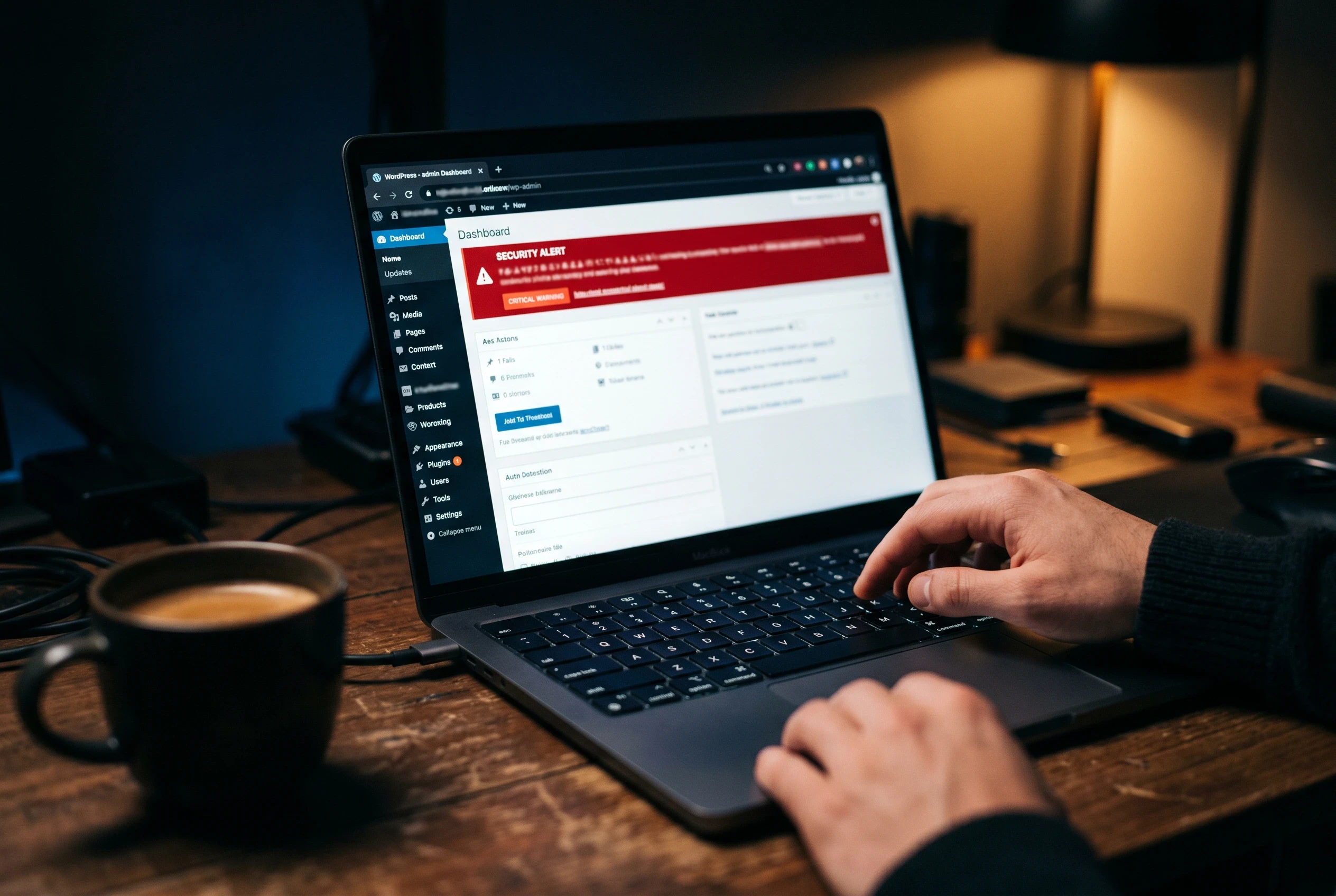
Developer Prefer Best WordPress Security Plugins
Many security plugins are available in the market but today I am going to tell you about the five most popular WordPress Security Plugins that secure your website from unusual activity and attacks. Let’s deep dive into the full article and get ideas about security plugins.





5 Most Installed Premium WordPress Security Plugin
Nowadays, WordPress security is essential for making your website more secure. Day by day, malware attacks are increasing and affecting websites. It can impact organic growth, damage Google rankings, and create a weak reputation for a company.
Building a reputed brand in the current world is very important, and that is why security plugins matter when it comes to preventing WordPress sites from malware attacks.
In this article, you will read about how you can strengthen your WordPress website security with popular premium and free plugins.
Below are the best WordPress security plugins that help secure your website from malware, threats, and attackers:
iThemes Security
Wordfence Security Plugin
All In One Security (AIOS) WordPress Plugin
Sucuri WordPress Security Plugin
WP Cerber WordPress Security Plugin
#1 iThemes Security

iThemes Security is a popular WordPress plugin for adding strong security to your WordPress website from malware and attacks.
iThemes Security plugin provides powerful website scanning features along with protections such as brute force network protection, two-factor authentication, and more.
It provides additional security features such as:
Database backups
IP address blocking
Security hardening
Web application firewall
File change detection
iThemes Security is useful because of its essential security features like Magic Login Link, which helps secure bot logins.
The plugin also provides real-time monitoring to track website security threats and alerts you when harmful threats are detected.
iThemes support is active and helps users solve problems with good support.
It also shows login activities, so you can check secure entries and monitor login records.
Difference between the Free Tier and Premium Tier of iThemes Security Plugin
iThemes Security provides both free and paid services. If your business is small and does not receive many daily visits, you can secure your site with the free tier plugin.
If your business is large and high-value clients visit daily, then your WordPress site may require stronger security to keep it more protected.
Feature | Free Tier | Premium Tier |
|---|---|---|
Site scanner | Yes | Yes |
Brute force protection | Yes | Yes |
Two-factor authentication | Yes | Yes |
Login security | Yes | Yes |
File change detection | Yes | Yes |
User Security Check | No | Yes |
Database backups | Yes | Yes |
User groups | No | Yes |
Trusted devices | No | Yes |
Activity logging | Yes | Yes |
Real-time monitoring | No | Yes |
Priority support | No | Yes |
Magic Links & Password-less Login | No | Yes |
Real-time WordPress Security Dashboard | No | Yes |
WP-CLI Integration | No | Yes |
User Activity Logging | No | Yes |
#2 Wordfence Security Plugin
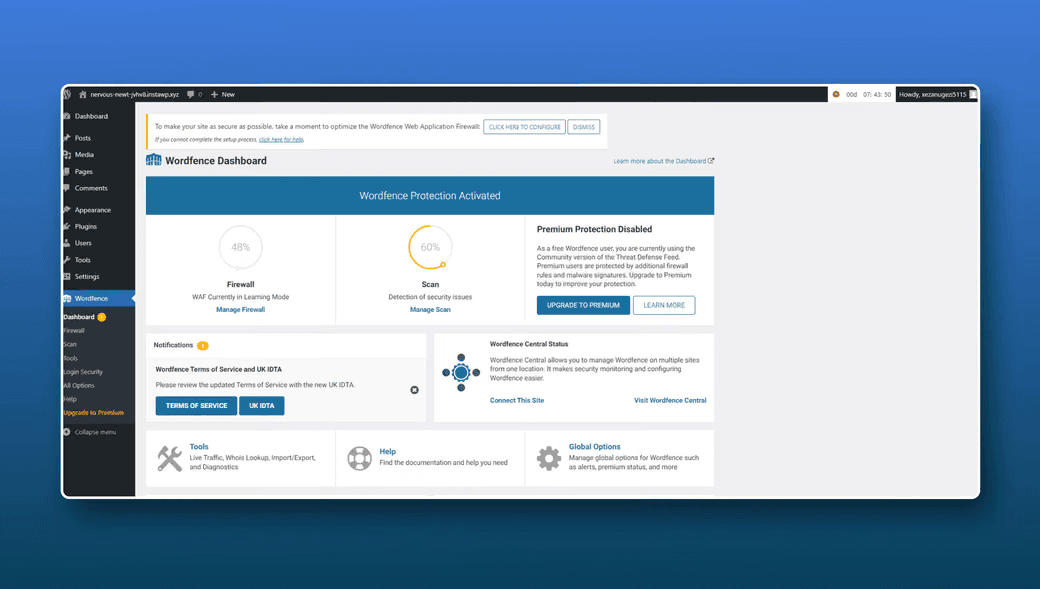
Wordfence Security Plugin is also one of the most used plugins for end-to-end WordPress security.
Many developers prefer Wordfence for securing websites. Wordfence is popular for its strong malware scan feature, login security protection, two-step authentication, and other basic security features required for WordPress websites.
Wordfence pricing is affordable, and it also provides helpful support to protect websites.
Wordfence’s free version provides basic functionality that is required for small websites.
Comparison of Wordfence Security Plugin Free Tier and Premium Tier Features
Feature | Free Tier | Premium Tier | Care |
|---|---|---|---|
Scheduled Security Scans | Every 3 Days | Unlimited | Unlimited |
Plugin/Theme Vulnerability Monitoring | Yes | Yes | Yes |
File Change Detection | Yes | Yes | Yes |
Intrusion Alerts | Yes | Yes | Yes |
Rate Limiting | Yes | Yes | Yes |
Brute Force Protection | Yes | Yes | Yes |
Login Security - 2FA & RECAPTCHA | Yes | Yes | Yes |
The Wordfence Firewall | No | No | Yes |
The Wordfence Malware Scanner | Signatures delayed 30 days | Real-time signatures | Real-time signatures |
Real-Time IP Blocklist | No | Yes | Yes |
Country Blocking | No | Yes | Yes |
Customer Support Level | Volunteer forums | Ticket based | Priority ticket based |
We Install Wordfence | No | No | Yes |
We Configure Wordfence | No | No | Yes |
We Optimize Wordfence for Performance & Security | No | No | Yes |
We Provide a Security Audit & Recommendations | No | No | 24/7 priority support |
Cleanup if We Find Malware During the Audit | No | No | Yes |
We Monitor your Site Security | No | No | Yes |
#3 All In One Security (AIOS) WordPress Plugin

All In One WP Security is one of the best WordPress security plugins provided by UpdraftPlus.
It helps secure users from vulnerabilities such as data sanitization failure and traversal vulnerability.
AIOS has over one million active installations in WordPress with many 5-star ratings.
WordPress developers like All In One WordPress Security because of its strong security functionality. It provides many helpful features such as firewall protection, malware scanner, vulnerability scanning, and security threat detection.
AIOS prevents unauthorized users from logging in and provides two-factor authentication.
Real-time monitoring helps monitor your website and alerts you if anything is detected.
All In One WP Security plugin also provides content protection features to prevent content spam, iFrame issues, and front-end text copy protection.
Additionally, it provides useful features such as country blocking, smart 404 blocking, email notifications, security reports, and support.
Comparison of All In One Security (AIOS) WordPress Plugin Free Tier and Premium Tier
Feature | Free Tier | Premium Tier |
|---|---|---|
Firewall | Yes | Yes |
Malware scanner | Yes | Yes |
Login security | Yes | Yes |
Two-factor authentication | Yes | Yes |
Real-time monitoring | Yes | Yes |
User security | No | Yes |
Content protection | Yes | Yes |
TFA Multisite Compatibility | No | Yes |
Country blocking | No | Yes |
Support Login Forms | No | Yes |
Response time & Up-time monitoring | No | Yes |
Alerts you to blacklisting by search engines | No | Yes |
Flexible assignment & Malware report | No | Yes |
Authenticator apps | Yes | Yes |
Role specific configuration | No | Yes |
Trusted devices - control how often TFA is required | No | Yes |
Anti-bot protection | No | Yes |
404 error charts | No | Yes |
Country Blocking | No | Yes |
Premium Support | No | Yes |
#4 Sucuri WordPress Security Plugin
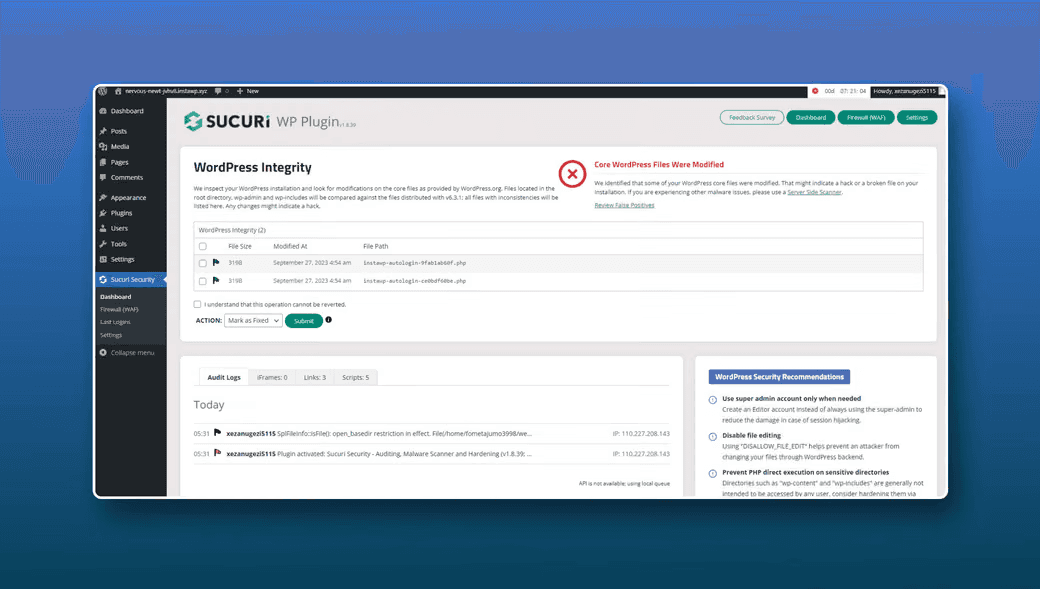
Sucuri is also one of the best security plugins to secure your site from threats and unsafe attempts.
Sucuri website scan helps make your site clean and free from unwanted virus files.
Sucuri plugin provides many security features like server-side scanning, security alerts and monitoring, malware cleanup, and more.
Additionally, Sucuri Security Plugin has helpful features such as file integrity monitoring, blocklist monitoring, and post-hack security actions.
As a premium feature, it provides website firewall protection and many other functionalities.
Sucuri has completed 900,000+ active installations with a 4-star rating out of 5.
You can check all free tier and premium tier features below.
Comparison of Sucuri Free vs Paid
Check Sucuri Free vs Paid plans with available features in the free tier and premium tier. The paid tier provides extra support and security features.
Feature | Free Tier | Premium Tier |
|---|---|---|
30-Day Money-Back Guarantee | Yes | Yes |
Smart Caching Options | Yes | Yes |
HTTPS/SSL via WAF | Yes | Yes |
SSL Certificate Support | No | Yes |
Sucuri Dashboard API | Yes | Yes |
Multi-tenancy | Yes | Yes |
Dedicated Account Management | Yes | Yes |
Automatic Cleanup | Yes | Yes |
Reduced Server Load | Yes | Yes |
Security Scans | Yes | Yes |
Malware Detection | Yes | Yes |
Security Anomaly Detection | Yes | Yes |
Blocklist Monitoring | Yes | Yes |
File Change Detection | Yes | Yes |
DNS Monitoring | Yes | Yes |
Quarantined Backups | Yes | Yes |
Instant Notifications | Yes | Yes |
Log Correlation Integration (SIEM) | Yes | Yes |
Fast Page Speed | Yes | Yes |
Bandwidth Limit | Yes | Yes |
Web Application Firewall (WAF) | Yes | Yes |
Intrusion Detection System (IDS) | Yes | Yes |
DDoS Attack Mitigation | Yes | Yes |
Brute Force Protection | Yes | Yes |
Block Hack Attempts | Yes | Yes |
Prevent Zero-Day Exploits | Yes | Yes |
Protected Pages | Yes | Yes |
Heuristic Correlation Engine | Yes | Yes |
Load Balancing / Failover | Yes | Yes |
Custom Rule Sets | Yes | Yes |
Dedicated Network Resources | Yes | Yes |
Custom Firewall Block Page | Yes | Yes |
Enterprise DDoS Support | Yes | Yes |
Global Anycast CDN | Yes | Yes |
Hack Cleanup & Malware Removal | Yes | Yes |
#5 WP Cerber WordPress Security Plugin

WP Cerber Security is one of the good plugins for securing websites with end-to-end security features.
WP Cerber also provides helpful security features such as malware scanner, real-time monitoring, country blocking, IP address blocking, content protection, database backups, and more.
WP Cerber Security Plugin dashboard shows monitoring data in a clear way, which helps you monitor security information easily.
WP Cerber Security anti-spam and malware scan plugin login security, along with two-factor authentication, helps prevent spammy users and secure login attempts.
Comparison of WP Cerber WordPress Security Plugin Free Tier and Premium Tier
Cerber Security Protection | Local Protection | Cloud Protection |
|---|---|---|
Spam Protection | Automated spam protection | Layered spam protection |
Automated integrity checks | No | Yes |
Rich GEO access rules | No | Yes |
Professional support | No | Yes |
User Activity Monitoring | No | Yes |
User Security Check | No | Yes |
ReCAPTCHA | No | Yes |
Security hardening recommendations | No | Yes |
Pricing of all Best WordPress Security Plugins
All plugins provide different types of security features according to their products. These plugins charge based on the features they provide.
Let’s check all plugin prices:
iThemes Security = $99/year
Wordfence Security = $119/year
All In One WP Security & Firewall = $80/year
Sucuri Security = $199/year
WP Cerber Security = $99/year
At the end of the information about WordPress Security
There are various WordPress security plugins available to protect your website from viruses and hackers. However, these tools differ in their capabilities.
Consider iThemes Security Pro and Wordfence Security as two renowned superheroes among these tools.
In comparison, they offer a free version with basic features, but access to their full range of superpowers requires payment.
On the other hand, All In One WP Security & Firewall acts as a reliable free bodyguard for your website.
Although it may not be as advanced as iThemes Security Pro or Wordfence Security, it effectively performs its duties.
Sucuri Security can be compared to a deluxe bodyguard that comes at a higher cost but offers advanced features and tools. Additionally, if your website ever encounters any issues, Sucuri can handle the cleanup process.
Another impressive option is the WP Cerber WordPress Security Plugin, known for its speed, strength, and many useful features.
Ultimately, the best choice depends on your specific requirements and budget. If you are unsure, you can begin by trying some free options to determine which one suits your website best.
More blogs.
Browse everything we’ve written — from quick tips to deep dives on design, dev, and digital work.